
Federal fair housing rules reach the pictures in a rental ad, not just the words. The federal advertising rule, 24 CFR § 100.75 (CFR 2024 edition), lists “using words, phrases, photographs, illustrations, symbols or forms” among the ways an ad can discriminate.
This guide gives you a shot list, phone technique and prep steps. It also covers the rules on people in photos, who owns the images and how to spot copies of your listing.
What photos does a rental listing need?
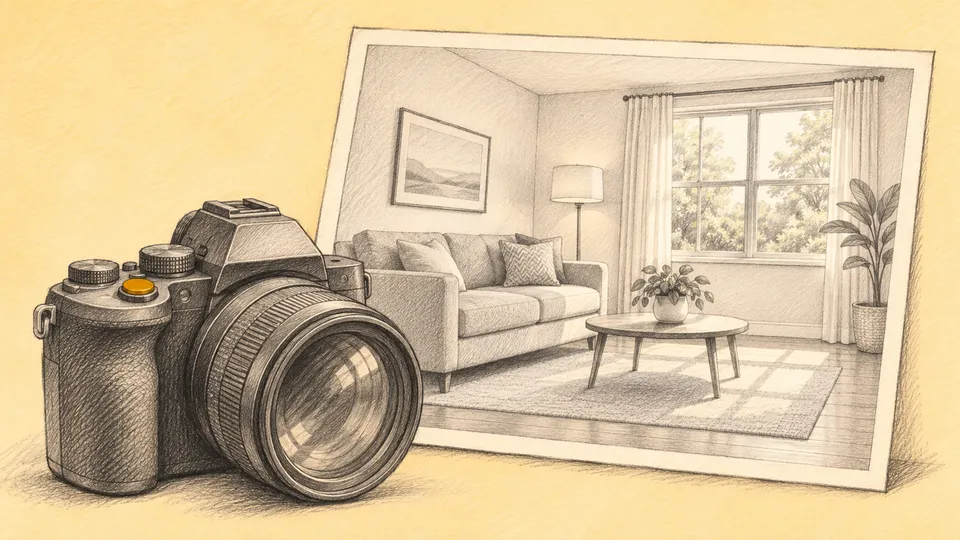
Photograph every space a renter will live in or use, plus the outside and the amenities. Photo limits differ by site, so check each listing site’s upload screen before you shoot.
| Area | What to capture | Tip |
|---|---|---|
| Exterior and entry | Front of the building, the door renters will use | Shoot on a clear day, with bins and cars out of frame |
| Living room | The whole room from a corner | Show windows and natural light |
| Kitchen | Counters, cabinets, full appliances | Show whole appliances, not logo close-ups |
| Every bedroom | Each room, including closets | One wide shot per room at minimum |
| Every bathroom | Vanity, tub or shower | Close the toilet lid, hang fresh towels |
| Laundry | In-unit machines or the shared laundry room | Label shared spaces in the caption |
| Storage | Closets, lockers, basement storage | Open doors to show depth |
| Outdoor space | Balcony, patio, yard | Shoot toward the best view |
| Parking | Driveway, garage or assigned spot | Show how close it is to the entry |
| Amenities | Gym, lobby, rooftop, bike room | Only amenities the renter can use |
| View | The best window view | Shoot from inside, through a clean window |
Printable checklist:
- Exterior and entry
- Living room
- Kitchen, with full appliances
- Each bedroom and its closet
- Each bathroom
- Laundry
- Storage
- Outdoor space
- Parking
- Amenities
- View
- Floor plan, if you have one
For help with the words that go next to the photos, see these rental ad examples.
Which photo should go first?
Lead with your best interior room, usually the kitchen or the living room. Keep bathrooms and floor plans out of the lead slot.
The first photo is what renters see in search results. Pick the brightest, widest, cleanest shot you have. Put the rest in the order a renter would walk through the unit.
How do you prepare the unit before shooting?
Clean first, then strip each room back to what helps a renter picture living there. Plan the shoot right after turnover cleaning if you can.
- Clean. Wipe counters, mirrors and windows. Vacuum and mop.
- Declutter. Clear counters, fridge doors and bathroom shelves. Hide cords, bins and cleaning supplies.
- Open the blinds. Let in as much daylight as possible.
- Turn every light on. Mixed light still beats dark corners.
- Turn fans off. Spinning blades blur.
- Stage lightly if the unit is vacant. A rug, a plant, or towels in the bathroom give an empty room scale.
How do you take good rental photos with a phone?
A recent phone is enough for most listings. Technique matters more than gear.
- Shoot in landscape. Listing sites display wide images best.
- Keep the phone level. Vertical lines in the room should look vertical in the photo.
- Shoot from corners and doorways. This shows the most of each room.
- Hold the camera at chest height. Too high or too low distorts the room.
- Go wide, not fisheye. Use your phone’s wide lens, but avoid lenses or apps that bend the walls.
- Shoot in daylight. Mid-day light is usually the most even.
- Take several frames per angle. Pick the sharpest one later.
- Tap to focus on the room, not the window. This keeps the interior from going dark.
How do you photograph an occupied rental?
Give the tenant the notice your state requires, and ask for their help. Notice rules vary by state, so check the landlord-tenant regulations where your unit is.
Ask the tenant to clear counters and put away personal items. Family photos, mail, medication and anything with a name or address on it should be out of frame. Never photograph the tenant or their guests.
Copy and adapt this message:
Hi [Name], I’d like to take listing photos of the unit on [date] between [time] and [time]. It would help a lot if counters are clear and personal items like family photos and mail are put away. The photos will show the rooms only, not you or your belongings. Let me know if another time works better.
Can you edit or virtually stage rental photos?
Basic corrections are fine: brightness, color, straightening and cropping. Edits that change what the unit looks like can mislead renters.
Do not remove permanent flaws, change the view, or add features the unit does not have. If you use virtual staging or AI to add furniture, label those images clearly as virtually staged. Keep the unedited originals, so you can show a renter what the room looks like today.
What does fair housing law say about listing photos?
Federal law covers rental ads, including their photos. Photograph the property, not people, and avoid any image that signals who should live there.
The federal statute, 42 U.S.C. § 3604(c), covers “any notice, statement, or advertisement, with respect to the sale or rental of a dwelling.” The federal rule bans ads showing “limitation or discrimination because of race, color, religion, sex, handicap, familial status, or national origin” (24 CFR § 100.75(a)).
The same federal rule names photos directly. It bars “using words, phrases, photographs, illustrations, symbols or forms which convey that dwellings are available or not available to a particular group of persons because of race, color, religion, sex, handicap, familial status, or national origin” (24 CFR § 100.75(c)(1); full text at Cornell LII).
In practice:
- Leave people out of the frame, including stock models and tenants.
- Remove religious objects, family photos and decor that could suggest who the unit is for.
- Let the photos describe the space. Do not choose shots that send a message about the kind of renter you want.
Who owns your listing photos?
The photographer usually owns the copyright unless you agree otherwise in writing. Get written permission to use the photos before you post them.
Federal copyright law says “copyright in a work protected under this title vests initially in the author or authors of the work” (17 U.S.C. § 201(a)). For a work made for hire, “the employer or other person for whom the work was prepared is considered the author,” “unless the parties have expressly agreed otherwise” “in a written instrument signed by them” (17 U.S.C. § 201(b)).
Before you hire a photographer, settle these points in writing:
- Who owns the photos, or what license you get to use them.
- Where you can use them: listing sites, your website, social media, ads.
- Whether you can reuse them for future vacancies in the same unit.
- Whether you can edit or crop them.
Do not reuse photos from another listing, a previous owner or a property manager.
How do you protect your photos from rental scams?
Scammers copy real listing photos to post fake ads. Search for your own address and list the unit on your own website so renters can check.
The FTC warns that “scammers copy the pictures, description, or virtual tour from a real online rental listing,” and “replace the agent’s contact information with their own” (FTC). It tells renters: “If other ads come up for the same address, but with a different owner or rental company name, that’s a sign of a scam.” It also says that if the property isn’t on the company’s own website, “the ad you found may be a scam” (FTC).
Steps to take:
- Post the unit on your own website, with the same photos and your real contact details.
- Search your address on the major listing sites and in a web search after you post.
- Run a reverse image search on your lead photo now and then.
- Report any clone to the site hosting it.
- Check that your real listing is live. If it went missing, see why a Zillow rental listing is not showing up.
Should you add video, a 3D tour or a pro photographer?
Add them when the cost pays back: many units, a high-end unit, or renters moving from out of town. For a single, simple unit, good phone photos are often enough.
- Video walkthrough. A steady phone video that walks the unit in order helps remote renters. Keep it short and follow the same path a showing would.
- 3D tour. Worth it when many applicants cannot visit before applying.
- Professional photographer. Worth it for a property you will market again and again, or when the unit has features that are hard to light. Get the usage rights in writing first.
What happens after great photos bring in leads?
Once the photos are live, inquiries arrive by call, text and email. Answer quickly, including after hours, and move each renter toward a booked showing.
- Reply to listing-site leads fast. See how to answer listing site leads after hours.
- Use a consistent reply. See how to respond to rental inquiries.
- Book and run the visit. See rental showings and how to reduce showing no-shows.
Nolan reads lead emails from listing sites like Zillow and Apartments.com, replies in the same thread, sends renters the units that fit, and books showings on your Google Calendar. To see how that works, read about the AI leasing agent.
Whatever handles your replies, ask every renter the same questions about the unit and their move.